Try it in your browser
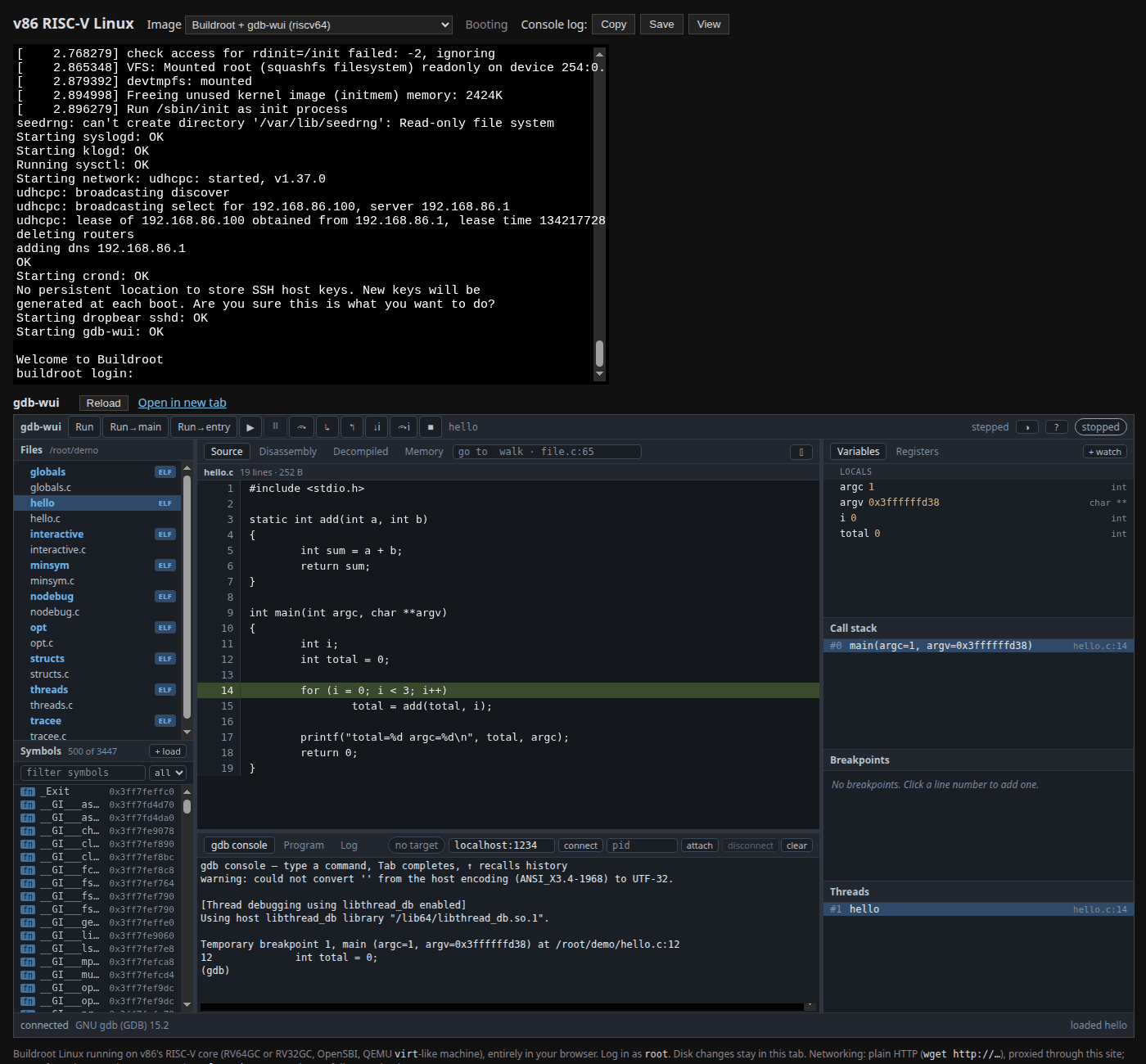
gdb-wui runs live in a browser tab, with nothing to install, on an emulated Linux machine:
- gdb-wui on ARM64 — an AArch64 machine
- gdb-wui on RISC-V — a riscv64 machine
Each page boots Buildroot Linux in an emulator written in WebAssembly (a fork of v86 that adds ARM64 and RISC-V machines). gdb 15 and gdb-wui run inside the emulated machine, exactly as they would on a board on your desk. The gdb-wui window appears next to the machine’s serial console about half a minute after the page loads; until then the panel says what it is waiting for.
Use a desktop browser. gdb-wui is a desktop application — it wants a wide screen, a mouse and a keyboard — and on a phone most of it is out of reach.
What is there to debug
The project is /root/demo: the programs in testdata/fixtures, with their sources, compiled for the emulated machine the way the Makefile’s fixtures target compiles them. hello is the place to start: click it in the file tree, click Run→main, and step.
The others are the ones the rest of this documentation uses — globals for the first session, threads, structs, the stripped nodebug and the symbols-only minsym. They are built as position-independent executables, so their addresses differ from the ones shown in the tour.
Decompiled, with no Ghidra in sight
The Decompiled tab works too, for every program there, although Ghidra could never run on the emulated machine. Each program was decompiled by Ghidra when the image was built, into a sidecar, and gdb-wui shows the one whose sha256 matches the program it loads.
That includes busybox — the machine’s own /bin/busybox, a few thousand functions and stripped: gdb knows not one name in it, so every name you see is Ghidra’s. To follow ls -l / into it:
- Click busybox in the file tree, and in the gdb console type
set args ls -l /. - In Symbols, type
entry, right-click it, choose Set breakpoint, and click Run. The breakpoint is pending until the program is loaded: busybox is position-independent, so where it runs is only known then. - Decompiled shows
entryhandingmainto__libc_start_mainalong withargc. Ghidra names one or the other: on RISC-V it isFUN_ram_0010b940(main, …), on ARM64__libc_start_main(FUN_0010d620, …). - Set a breakpoint on that function the same way, from Symbols, and continue. You are in busybox’s
main, recovered from a binary with no symbols: two calls tomallopt(unnamed stubs on RISC-V), a call with"busybox"(that islbb_prepare), andargv[0]stored in aDAT_global (that isapplet_name), with the program counter marked and the call stack named by the decompiler.
The first function takes a few seconds while gdb-wui indexes the nine-megabyte sidecar; after that each one is read from it as you go. Press ▶ to let ls finish.
Decompiled by kuna, in the page
The same view can come from kuna instead: switch the picker in the Decompiled header from Ghidra to kuna. kuna runs as WebAssembly in this page, beside the emulator, and gdb-wui in the guest asks it for each function over the emulated network — so it decompiles any program in the machine, not only the ones decompiled when the image was built. The first switch downloads kuna, a few megabytes; after that a function takes a second or two.
On a stripped busybox kuna finds main and the names of the library functions it calls: entry shows __libc_start_main(main, …) on ARM64, and main calls mallopt, getuid and sub_d100("busybox").
Debugging through gdbserver
The image has gdbserver too. Log in on the serial console as root (no password) and start it:
gdbserver :1234 /root/demo/hello &
Then click connect in the bar above gdb-wui’s console, with the address left at localhost:1234. gdb-wui attaches to the remote target, stopped at the program’s first instruction in the dynamic loader, and the program’s own output appears on the serial console.
How it differs from running it yourself
- It is slower. The machine is emulated, so loading a program and the first step take a moment longer than on real hardware.
- The decompilation is fixed. It was made when the image was built, so renaming, retyping and comments, which need a Ghidra to re-decompile, are not available.
- Read-only files. The root filesystem is read-only and there is no compiler in the image, so you can debug the programs in
/root/demobut not change them. Nothing you do leaves your browser tab, and a reload starts afresh. - A wide screen helps. gdb-wui’s layout is made for a desktop window. On a phone, Open in new tab gives it the whole screen.
The page reaches gdb-wui over the emulator’s virtual network, which nothing but that page can reach. That is why gdb-wui runs there with -listen-anywhere, which the security warning asks you not to use on a real network.